

Beyond Compliance: How ELDs Can Actually Protect Carriers in Disputes

What are you waiting for?
Get our powerful TMS for brokers and carriers alike.
Many carriers think of electronic logging devices (ELDs) as something you use because you have to, not because you want to. They’re government-mandated and required by the Federal Motor Carrier Safety Administration (FMCSA) to track hours of service (HOS). But there’s more value hiding in those logs than most people realize. They’re actually the best line of defense against disputes that can affect your business and your bottom line.
When used strategically, ELDs can capture objective data to help protect your revenue, reputation, and relationships in disagreements that commonly arise in the industry. Here’s how to turn something you’re already required to use into a tool that genuinely protects your business.
How ELD data helps in disputes
When a dispute pops up – and they always seem to come at the worst possible time – the most important thing is getting clarity on what happened. ELDs give you the answer with the detail and impartiality that paper logs and manual check-calls can’t match.
Paper logs are easy to mix up, especially when you’re juggling long days and tight schedules. They can cause you to omit or falsify something by accident or without even realizing it. Alternatively, ELDs automatically record numerous data points from your truck’s engine and GPS system, including:
- Precise location: ELDs capture a truck’s GPS coordinates at regular intervals. This provides proof of its exact journey.
- Engine status: The ELD records when drivers turn the engine on or off, and when the vehicle is moving or stopped.
- Vehicle speed: Many ELD platforms can provide speed data. This shows exactly how fast the truck is traveling at any given moment.
- Time stamps: ELDs time-stamp every event, from status changes to location updates. When integrated with telematics, they can also log harsh events to the exact second.
And because ELDs capture this information automatically – and don’t ‘forget’ details the way humans sometimes do – you have clear proof when questions come up. You have a highly credible timeline of events and an objective record to move the conversation from confusion to undeniable fact. At this point, your ELD transforms from a compliance tool into an essential business asset.
1. Secure detention pay with geofence time stamps
Unpaid detention time is one of the biggest headaches for carriers. Every hour your truck spends waiting at a shipper or receiver facility, the more compensation that eats into your margins and disrupts your schedule. It doesn’t take much for confusion around detention to turn into a back-and-forth. Without proof, it’s your word against theirs.
Create a robust detention timeline
Your ELD helps clear confusion about detention time. You can use ELD geofencing and fast data capture features to create a timeline proving when your truck arrived, how long it waited, and when it departed. Here’s how it works:
- Geofence the facility: Start by setting up a geofence, or a virtual boundary, around the shipper or receiver’s location using their addresses or GPS coordinates. When your truck enters or exits this area, the ELD will automatically log the event with a precise time stamp.
- Track stationary time: The ELD records when your truck is stationary within the geofence, using engine status and speed data. This way, you can tell the difference between time spent waiting and time spent loading or unloading.
- Document departure: When your truck leaves the geofenced area, the ELD logs the exit time. This gives you a clear end point for the detention period.
Present your case
To present your case, pull the trip segment covering the appointment window from the ELD. Find the geofence entry and exit times. Use the engine status and speed records to show periods where the truck never moved within the facility. You can also attach appointment confirmations and dock assignment messages to strengthen your case.
Summarize your findings clearly. For example, you might document something like, “The truck arrived at 12:07 p.m. (geofence entry). Loading began at 2:56 p.m. (first movement) and departed at 3:18 p.m. (geofence exit). Total detention: 2 hours, 49 minutes.”
This works because the data speaks for you = you’re not stuck debating timelines. You have objective data that’s time-stamped with the location verified. If a shipper claims that you arrived late, your geofence entry time can tell the real story. If they dispute the length of your wait, your ELD’s stationary records will reveal the facts. This can help you get paid faster. You also build trust with brokers and shippers, gaining a competitive edge with RMIS brokers.
It’s smart to standardize this process in your billing workflow. Over time, you spend less energy chasing down money you’re owed and more time doing what actually pays the bills.
2. Disprove false HOS violation claims
Few things are more frustrating than being hit with an HOS violation you know isn’t right, especially when it can lead to fines, a hit CSA score, or even lost business. Whether a false claim comes from a roadside inspector, broker, or shipper, your ELD logbook becomes your best defense.
Using ELD records for claims
ELDs are superior to paper logs because they’re more accurate and precise. They show an entire audit trail that’s instantly verifiable if you face a false claim:
- Standardized and tamper-resistant: FMCSA ELDs follow strict data formats and transfer protocols. That makes them less prone to errors and more resistant to alteration.
- Comprehensive audit trail: ELDs log every edit, annotation, and certification. So, you can show exactly when and why changes were made.
- Instant verification: During inspections, you can quickly transfer ELD data to enforcement officers. These officers can review driving time, on-duty and not-driving time, and rest breaks in seconds.
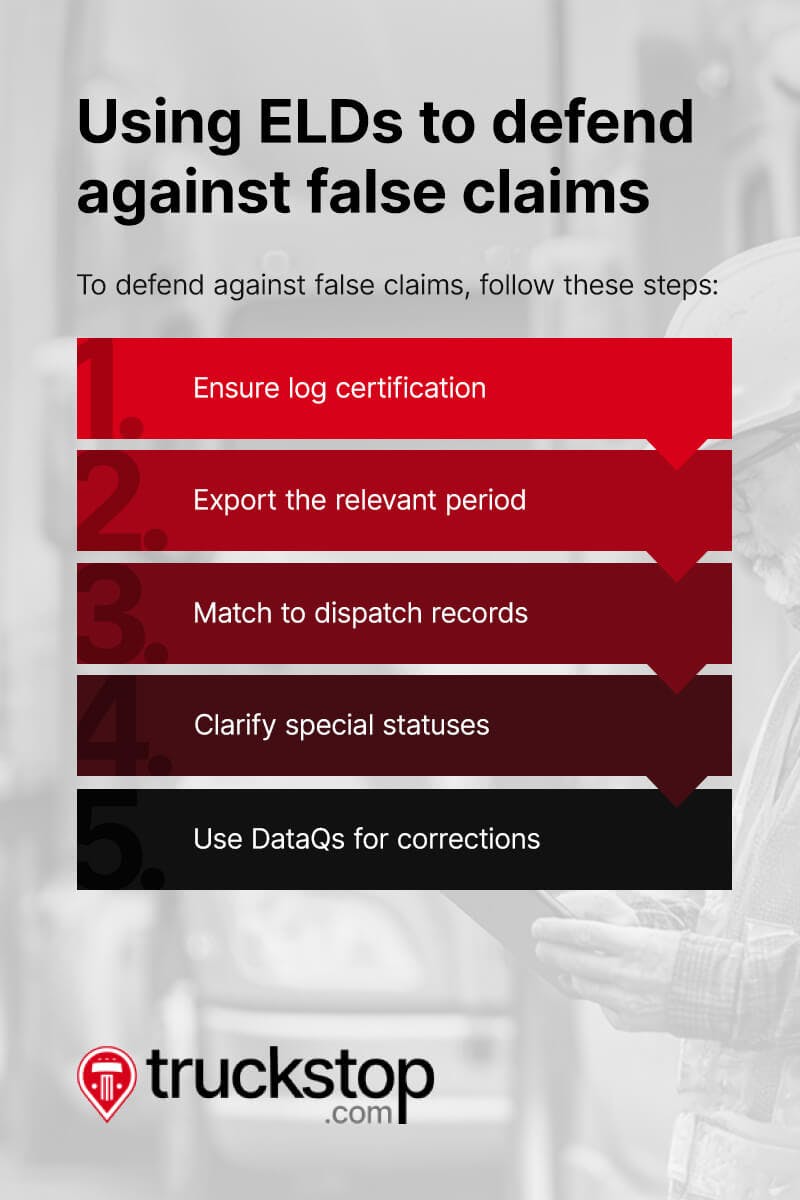
Defending against false claims
When that happens, here’s how to back yourself up with solid data.
- Ensure log certification: Certify your drivers’ logs daily and annotate any edits. Certified logs carry more weight in disputes.
- Export the relevant period: To show the full context, pull the 24-hour window in question, including any status changes before and after.
- Match to dispatch records: Show that your planned schedule respected HOS limits, and that the driver took required breaks.
- Clarify special statuses: If yard moves or personal conveyance were used, highlight these in your export. Explain how they align with FMCSA rules.
- Use DataQs for corrections: If a violation was recorded in error, submit your ELD export. Give a brief explanation through the FMCSA’s DataQs system to seek a correction with supporting evidence.
If a broker or shipper pressures your driver to run illegal hours, the ELD’s objective record becomes your safeguard. It shows you’re doing things the right way—and you have the logs to prove it. Ultimately, FMCSA ELDs are auditable and give fast, defensible proof. With clear records, you can protect your CSA score, prevent fines, and reassure brokers that you’re reliable and compliant.
3. Establish the facts in accident investigations
Accidents happen, and even when your driver did everything right, the situation can feel stressful and overwhelming. ELD data can help clear your driver’s name when the facts are on your side. The data recorded by ELDs can be presented as evidence, showing when there are no violations like speeding or hard cornering, to support your case. You can also pair your ELD data with dashcam footage and telematics alerts to create an accurate timeline of events.
ELDs will provide the facts in an accident investigation:
- Vehicle speed: Many ELD platforms can provide speed history, showing whether the driver was operating safely and within the legal limits.
- Precise location: GPS and time stamps place your truck at the exact spot and time of the event. This data can refute claims about location or sequence.
- Hard-braking events: Many ELDs, once integrated with telematics, can log rapid deceleration, supporting the driver’s account of reacting to a hazard.
Another advantage of ELDs is that they provide accurate, consistent recordings. And let’s be honest—written logs rely on perfect memory and perfect handwriting, which no one has. The smallest inconsistency or missing detail in the written log could affect the driver’s case. Or, it could support the plaintiff’s claim that the company is responsible for the accident.
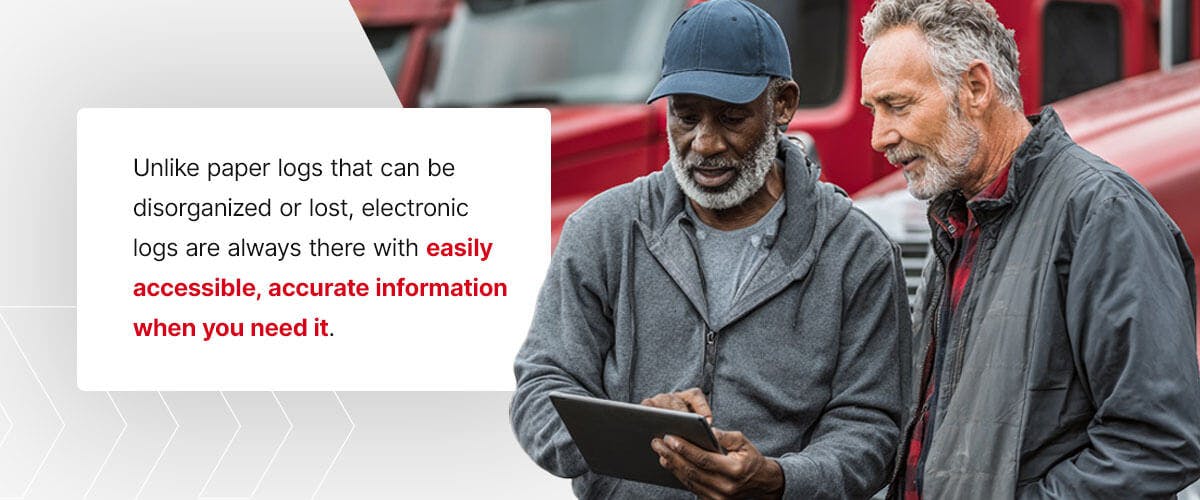
Unlike paper logs that can be disorganized or lost, electronic logs are always there with easily accessible, accurate information when you need it. Therefore, ELDs become safeguards to help reduce exposure and avoid legal issues.
Show proof of maintenance
If an accident does arise, you might also be asked to show proof that the vehicle involved was properly maintained. For instance, if a driver rear-ends another vehicle, that vehicle’s owner or insurer could point to faulty brakes as the cause. You can pair maintenance logs with ELD data in accident investigations to prove the vehicle in question is properly maintained and not at fault.
Track driver behavior
Telematics features available through many ELD providers can also track driving behaviors. You can use this data to prevent accidents from happening in the first place.
For instance, say you note trends like excessive acceleration from a certain driver within your company. Once you know which drivers show these poor habits with data from your ELD, you can help them improve with additional training.
ELDs efficiently track and store this information, helping you be proactive and reduce accidents and liabilities. Over time, this helps you build a safer, more confident team.
4. Verify on-time performance and avoid penalties
Customers appreciate on-time deliveries and a speedy unloading process. Retailers often enforce tight delivery windows to manage capacity, and early or late arrivals can result in charge-backs. So, the data provided by ELDs helps everyone. Customers are happy because they know when to expect deliveries. You’re happy because your drivers spend less time waiting at the dock and more time driving. And, you avoid penalties and charge-backs.
ELD logs, GPS time stamps, and transportation management system (TMS) records help you avoid delivery-related disputes. Use the data to your advantage. Enjoy real-time tracking and alerts, and monitor every shipment in transit. You’ll get timely reports of when a truck arrives in the shipping yard and when it leaves. Sometimes, delays are out of your control, whether from dock congestion to appointment changes or weather. ELD data gives you the context to prove you did your part.
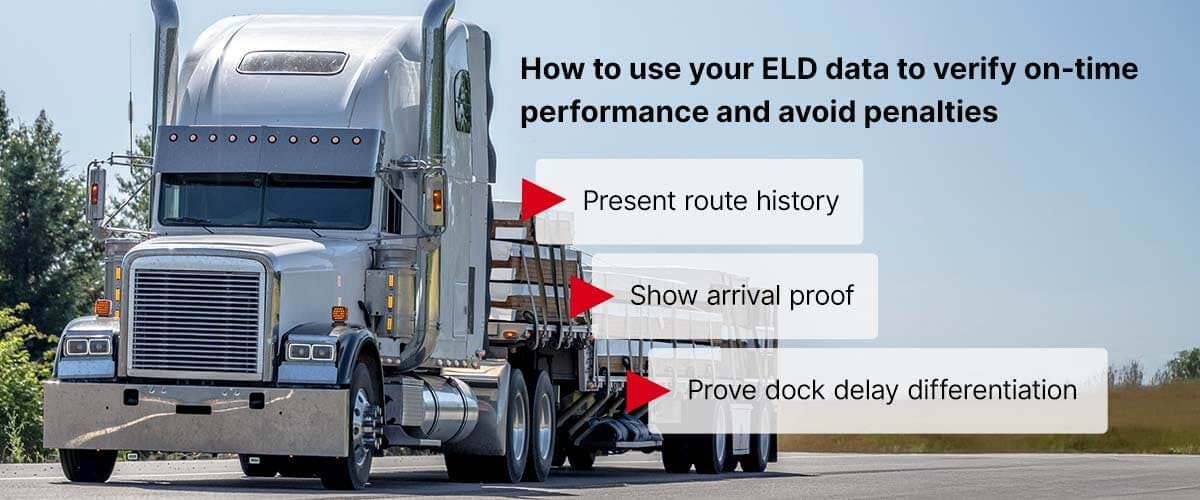
Document your entire journey
Here’s how to use your ELD data to verify on-time performance and avoid penalties:
- Present route history: Show a breadcrumb trail of your journey, including rest breaks, fuel stops, and detours.
- Show arrival proof: Use geofence entry at the receiver and motion status logs to prove on-time arrival.
- Prove dock delay differentiation: If your truck sat stationary after arrival, the ELD shows it. It proves the delay was at the dock, not on the road.
For example, say a broker claims your driver was late and that it will result in a penalty or charge-back. With ELD data, you can pull up the exact geofence entry time stamp at the receiver’s location, along with a breadcrumb trail showing steady progress throughout the route. If the truck arrived on time but unloading was delayed due to dock congestion, your ELD’s stationary records inside the geofence make it clear the delay was not your fault.
This level of detail can help you avoid unfair penalties. It also tells brokers and shippers that you are transparent and professional. Over time, this builds trust and can lead to better business relationships.
Present your case
To present your case, you can export the full trip window, from pickup to delivery and all major waypoints. Then, include a map or route report with time stamps at state lines, fuel stops, and the destination. Highlight key times like pickup, arrival, first movement at the dock, and departure. Note any weather advisories, road closures, or dock congestion. Attach toll receipts, weight station logs, or check-in messages from facilities to support your case.
This documentation shows brokers and shippers that you met your obligation. It also shows partners you’re upfront and dependable, which goes a long way in this business. This reduces charge-backs, speeds up approvals, and builds trust. When you’re consistent and transparent and can present objective records, you build a reputation for professionalism. This can lead to better loads and stronger partnerships.

Build a more secure business with Truckstop.com
When you have clearer data, you have more control—and more peace of mind. When you pair your ELD documentation with the right marketplace and partners, you spend less time in disputes and more time hauling profitable freight.
Truckstop’s Load Board is trusted and used by carriers to find quality freight from vetted brokers. With Truckstop, you can:
- Find better loads that fit your schedule and equipment.
- Improve cash flow with flexible payment solutions.
- Operate with confidence, knowing you’re working with trustworthy partners.
If you’re ready for a load board that supports the way you run your business, you can sign up in just a few steps.




Get helpful content delivered to your inbox.
Sign up today.
Find high-quality loads fast, get higher rates on every haul, and access tools that make your job easier at every turn.






.png)

.png)

