Meet Truckstop’s AVA.
Hands-free load search. Eyes on the road.
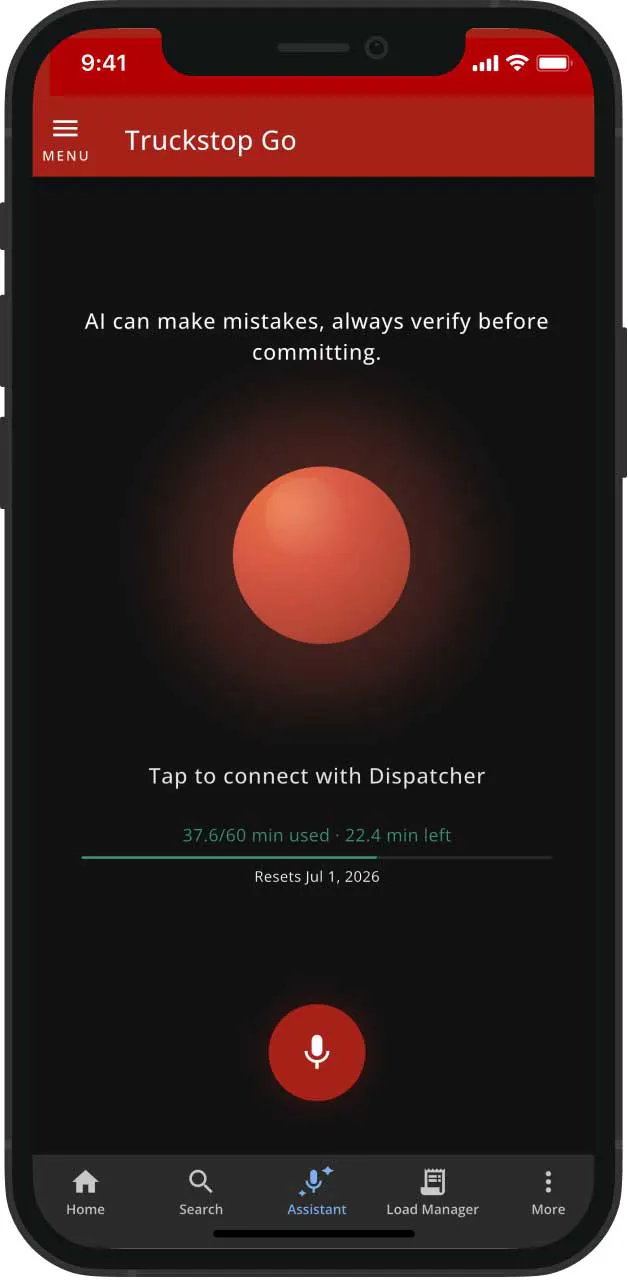
AVA, Truckstop’s Advanced Voice Assistant, rides shotgun for carrier drivers on Advanced and Pro accounts. Search loads, check rates, connect to brokers, find diesel, and locate parking — all by voice, all hands-free, without ever taking your eyes off the road.
Meet AVA
Available on Advanced and Pro. Already a customer? Open Truckstop Go.
Can’t talk right now? Switch to Chat, same AVA, same loads and rates, just typed out.
WHAT AVA CAN DO
Every task a driver needs.
Zero hands required.
Search. Book. Navigate. All by voice.
Safety first.
Hands-free by design.
AVA was built for the cab. Drivers speak naturally and AVA responds out loud, so eyes stay on the road through every search, rate check, and broker call.
Speed to load
Find it. Book it. Drive.
From “find me a load” to a live broker call in seconds. AVA searches the live board, reads back the best options, and patches you through the moment you say yes.
Like what you hear? Say “save this load” and it’s in your Load Manager, no app-hopping, no pulling over. And while AVA talks through her picks, the load details show up right on your screen, so you can follow along without asking her to repeat herself.
Market intelligence
The rate data brokers have. Spoken to you.
Ask “is this rate good?” and get live lane analytics, load-to-truck ratios, and market conditions read back in plain English before you pick up the phone.
Ask AVA, “Tell me more about the broker,” and get their credit score, average days to pay, and DOT authority status, plus current lane rates so you know if the number’s fair.
Always on
Fuel. Parking. Loads. One voice.
AVA finds nearby diesel through AtoB, locates truck parking through Truck Parking Club, and searches loads from the live board — all in one conversation.
Prefer to type? Switch to Chat in the same Dispatch tab: same loads, same rates, same broker connections, just written out for when talking isn’t an option. Available within plan usage limits.
AVA también está disponible en español, tanto por voz como por mensaje de texto.
Frequently Asked Questions
“Truckstop is my cash cow.”

Wayne Hardee,
Hardee Hauling, LLC
“Truckstop is the best load board we use. If we didn’t have Truckstop, we wouldn’t get near the loads that we get.”

Ernie Hall,
Fast Forward LLC.
“I know I can trust Truckstop to help me get my drivers loaded and paid on time.”

Mel Pink,
Jacksons Moving and Storage
Your next load is one conversation away.
AVA is included with Load Board Advanced and Pro at no extra cost.
Already a customer? Open Truckstop Go and ask AVA to find your next load. New to Truckstop?
Choose Advanced or Pro to get AVA.





.png)

.png)

