
Know what’s behind the rate with Rate Insights.
Rate Insights
Know the lane before you quote.
Paid and posted rates side by side, an AI-generated explanation of how each rate is built, and adjustments for your load.
Request a DemoRate Insights Advanced
Rate Insights Advanced gives you the rate and the context behind it. You walk into the conversation knowing where the market is and what’s behind the number.
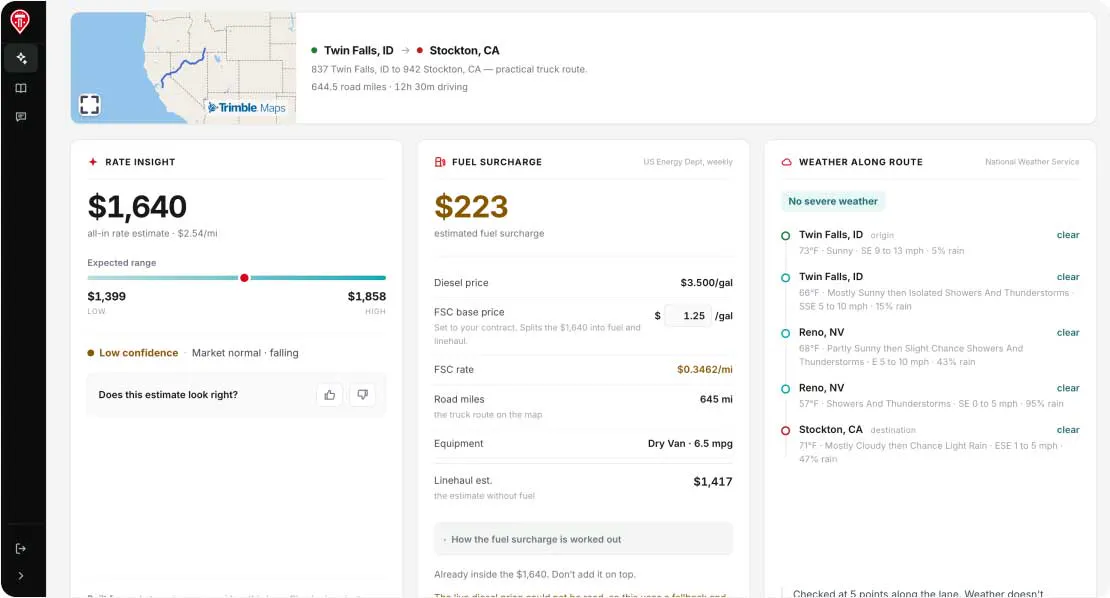
AI-generated explanation. Rate estimates are based on available lane and market data and are intended as a planning tool, not a guarantee of final pricing.
Paid and posted rates
See trailing paid and posted rates together, including paid vs. posted by four weight buckets. Paid rates are historical and lag, so posted data fills the gap.
AI-generated explanation
Get a plain-language explanation of the modeling assumptions behind each rate. AI writes the explanation. It doesn’t set the number.
Load adjustments
Adjust for team driver, hazmat, overdimensional, and lumper loads, and set your own fuel surcharge baseline.
Live competition and lane trends
See live load board competition and lane trend data for recent days.
Map view and weather
Spot loosening and tightening signals on the map, which show what the market is doing now. A weather widget shows conditions on the lane.
Rate, range, and trend
See the rate per mile, the high/low range, a monthly line graph, and the 3-year trailing average.
See Rate Insights Advanced for yourself.
Get a demo
See the rate and the reasoning behind it.
In the demo, we’ll:
- Walk through Rate Insights Advanced on a lane you run.
- Show paid and posted rates side by side, with the AI-generated explanation.
- Talk through seats and setup.
Sales-assisted purchase only. Advanced is a separate web app with its own login.
Rate Insights Basic
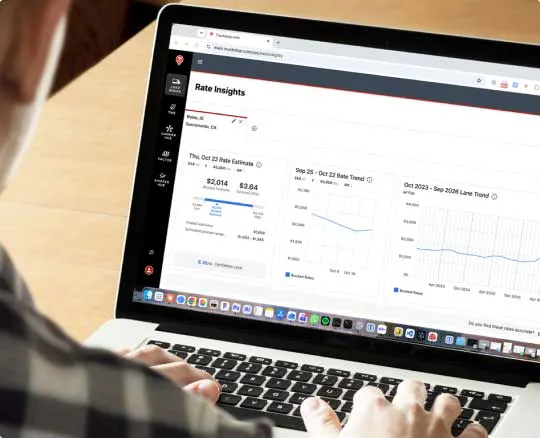
Rate Insights Basic comes with select Load Board plans, so the rate for a lane is there when you’re deciding on a load. No separate purchase. If your plan includes Rate Insights Basic, it’s already available to you.
The rate, the range, and the trend
Enter origin, destination, and equipment type to see the rate per mile, the high/low range, and the 3-year trailing average.
Select Package